Welcome to the svgdiagram.ai developer documentation. The svgdiagram.ai REST API turns natural language prompts and structured data into vector SVG diagrams.
Create flowcharts, sequence diagrams, architecture overviews, mind maps, and timelines. The API can select a published design or generate a creative diagram, then return SVG output and offer PNG downloads.
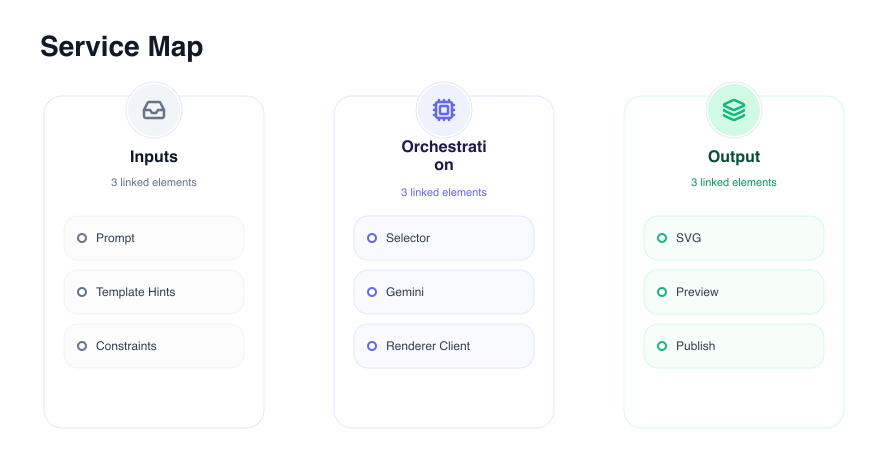
Visual Request-to-Diagram Output
Send a prompt brief to POST /rest/v1/generations and receive publication-ready vector diagrams:
Core Capabilities
Smart Design Selection
Choose design: "auto" to let the model select the best published design or render creative custom vector JSX.
Restrained Aesthetic System
Built-in light/dark appearance modes, curated palette roles, and font families (Inter (inter), Source Sans 3 (source-sans-3), Archivo (archivo), and Barlow Condensed (barlow-condensed)).
Free Instant Re-rendering
Change colors, fonts, or light/dark appearances on any generated diagram for free without consuming credits.
Vector SVG & Crisp PNG
Export standalone SVG files or crisp, browser-rendered PNG rasters up to 3x scale.
Quick Example Request
Send a request to POST /rest/v1/generations to create a diagram:
  curl -X POST https://svgdiagram.ai/rest/v1/generations \
  -H "Authorization: Bearer svg_sk_your_api_key" \
  -H "Content-Type: application/json" \
  -d '{
    "prompt": "Three-column overview of product features",
    "design": "auto",
    "appearance": "light",
    "fontId": "inter"
  }'
Example Response Payload
{
  "status": "ok",
  "item": {
    "id": "<generation-id>",
    "svg": "<svg xmlns=\"http://www.w3.org/2000/svg\">...</svg>"
  }
}
Documentation Sections
Explore the documentation guides below to integrate diagram generation into your application:
- Quickstart — Generate your first diagram.
- Authentication — Public catalog access vs Bearer token protected routes.
- Diagram Generation — Prompts, design modes (
auto,creative, named designs), and refinement. - Styling & Re-render — Themes, palettes, font selection, and free re-rendering.
- Exports & Formats — Downloading vector SVG and high-resolution PNG rasters.
- Errors & Credit Model — Error status codes, JSON payload shapes, and refund behavior.
- API Reference — Complete OpenAPI specification endpoint browser.